Self-service
Customers fix their own orders.
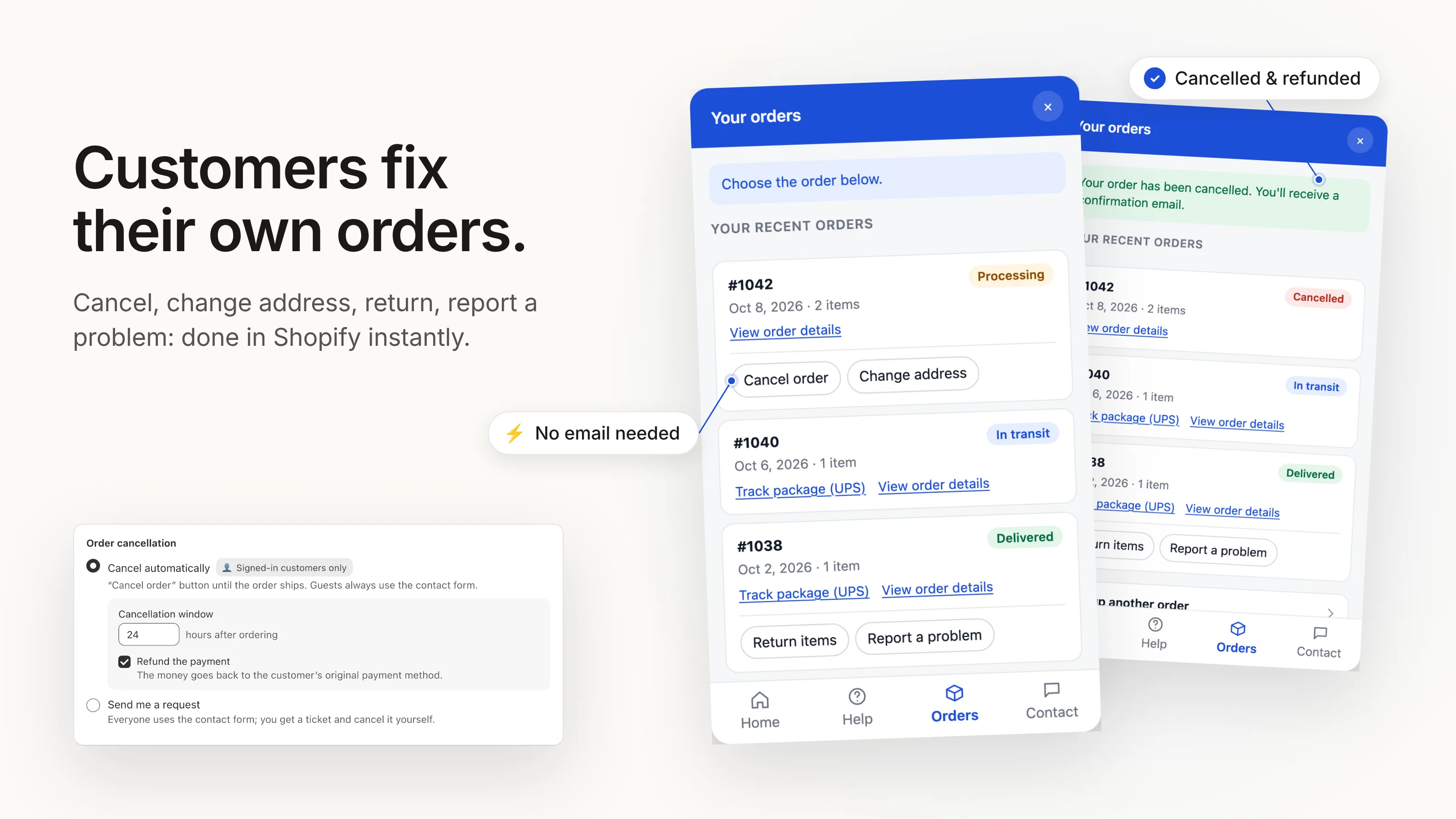
Cancel an order, change the shipping address, start a return or report a damaged item, right from the help widget. It happens in Shopify straight away, within the rules you set.
HelpDock adds a help widget to your store. Customers find answers, track orders and cancel, change or return orders on their own. Only the questions that need you reach your inbox.
Free plan, no time limit · Works with any theme · No chatbot, no AI guessing
Example: 4 of 5 handled by the customer in the widget. One ticket left for you.
A customer tracks an order, changes an address and finds an answer, and the store owner sees what was handled.
One click, no code. HelpDock works with any Shopify theme and on every Shopify plan.
Import the FAQs you already have on your theme or pages, or write new ones. Turn on the self-service actions you want.
Enable HelpDock in your theme editor. Customers get a help button on every page of your store.
Order status, changes, returns, damaged items and shipping. HelpDock answers them on your store, so the email never gets written.
Cancel an order, change the shipping address, start a return or report a damaged item, right from the help widget. It happens in Shopify straight away, within the rules you set.
Customers look up an order with their email and order number and see its live status and tracking link. Your FAQ sits in the same widget, searchable, on every page of your store.

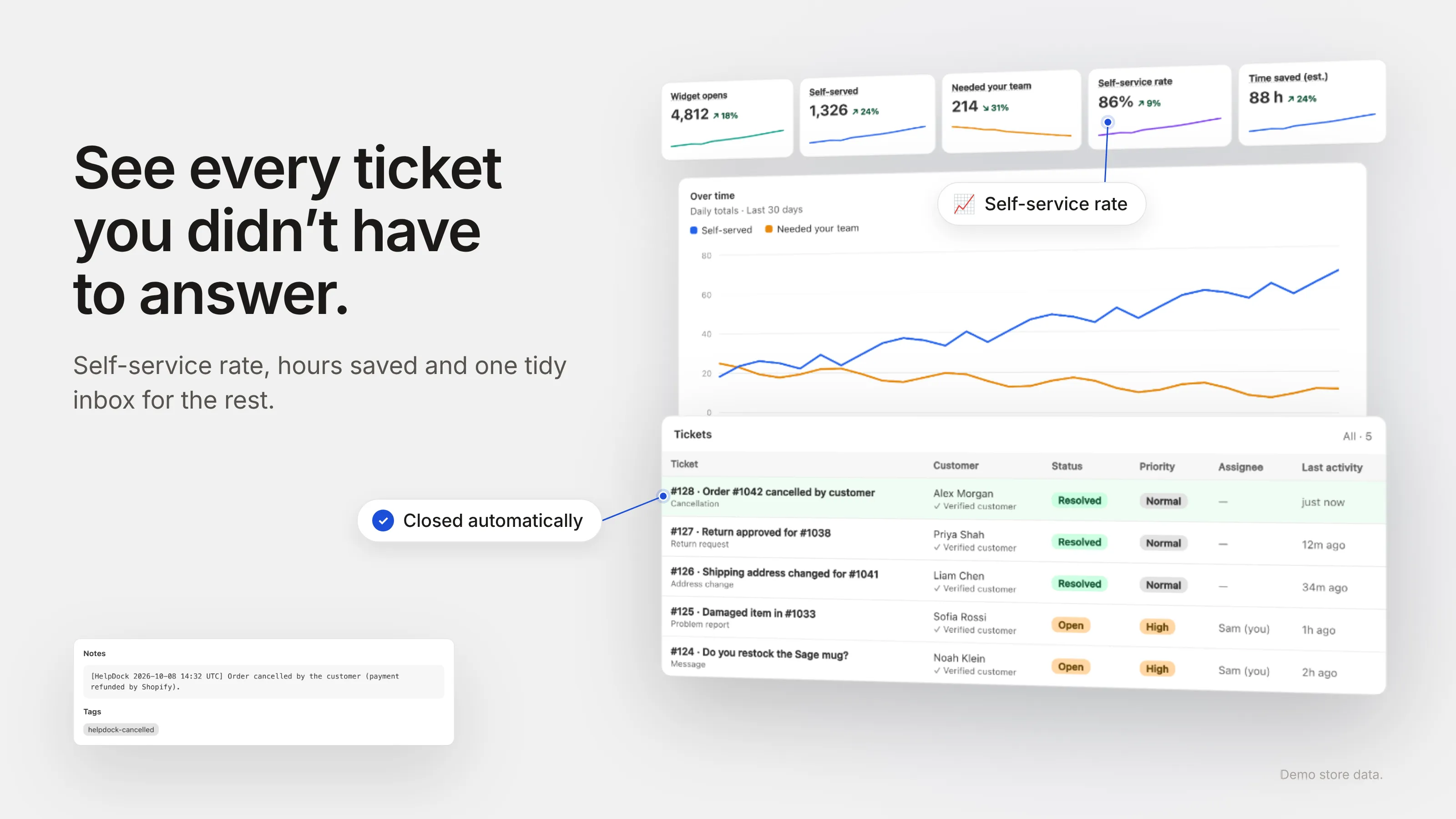
What still needs you arrives as a ticket with the topic and order attached. Analytics show how many questions were self-served, the hours that saved you, and which searches found no answer.
Billed through Shopify. Paid plans come with a 14-day free trial. Yearly billing saves about 17%.
$0 forever
$4.99 per month
$12.49 per month
Put in your own numbers. Even small stores are often surprised by the hours that go into answering the same questions.
Try HelpDock freeNeither. There’s no chat window to staff and no AI making up answers. Customers search the answers you wrote, look up their orders and use the self-service actions you turned on. Anything that needs you becomes a ticket you answer when it suits you.
Yes. HelpDock is a theme app embed, so it works with any Shopify theme without editing code. You switch it on in the theme editor and can switch it off the same way.
Customers need both the order number and the email on the order to see anything. Cancelling, changing the address and returns are only offered to signed-in customers, for their own orders, within the rules you set.
Yes. The free plan includes the help widget with unlimited FAQs, unlimited order tracking, the contact form and 50 tickets a month, with no time limit. Pro and Plus come with a 14-day free trial.
Through Shopify. Charges appear on your Shopify bill, and you can change or cancel your plan any time from inside the app. Uninstalling stops billing.
Shopify stores that answer the same order questions again and again, usually without a dedicated support team. If you already use a full helpdesk, HelpDock can still take the routine questions off it.
Install HelpDock free and have answers, order tracking and self-service live on your store today.
Free plan, no time limit · 14-day trial on paid plans · Billed through Shopify